Container Per Branch
Every feature branch gets its own Docker container with a clean git clone — real filesystem isolation, not worktrees. Switch branches inside a running container instantly.
Containerized development environments
Run AI coding agents in fully autonomous mode inside per-branch Docker containers. Databases, services, DNS, tunnels, and terminal sessions — all managed for you. Use the native macOS app or the web app from any browser.
Features
Every feature branch gets its own Docker container with a clean git clone — real filesystem isolation, not worktrees. Switch branches inside a running container instantly.
Run Claude Code and OpenAI Codex inside every container with full autonomous access. API keys and auth are forwarded automatically — just open a terminal and go.
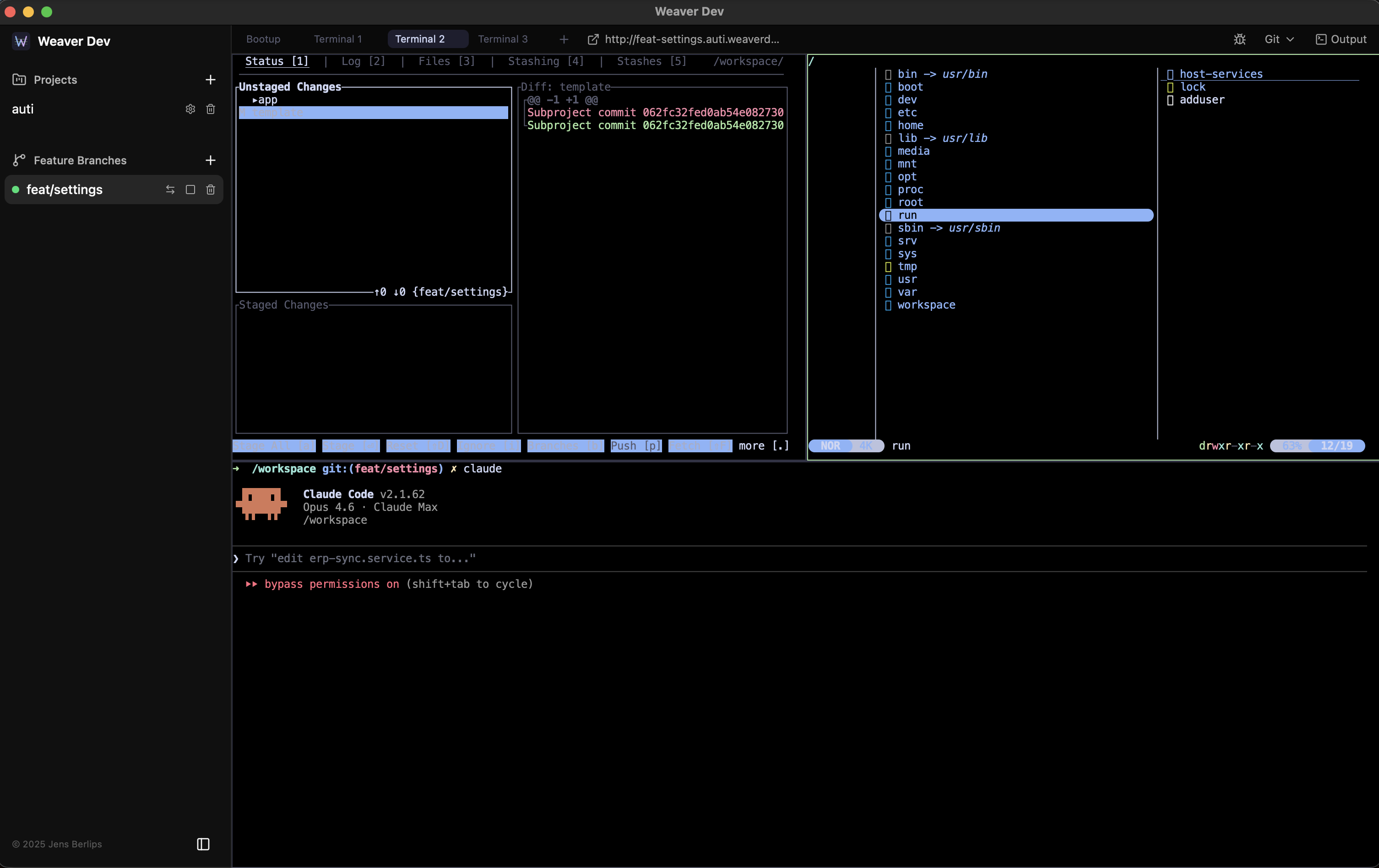
Horizontal and vertical splits, multiple tabs, keyboard shortcuts. Close the app or browser, reopen — your terminal layout and sessions are restored exactly as you left them.
Each branch can get its own PostgreSQL and Redis instances, automatically provisioned and injected as environment variables. No manual config — your app just connects.
Every container gets automatic local DNS and reverse proxy routing. Share any branch publicly via Cloudflare Tunnels — one click to get a live URL for your running branch.
Use the native macOS app for local development with Docker, or the hosted web app from any browser. The native app can also connect to the web server for remote access.
View diffs, track file changes, and run AI-assisted commands — commit, push, and sync with a single click. Branch switching handles stashing and conflicts automatically.
No built-in editor by design. Use Claude Code, Codex, gitui, yazi, vim — whatever terminal tools you prefer. Weaver Dev stays out of your way.
How It Works
Point Weaver Dev at a GitHub repo. It reads your config and sets up ports, env vars, databases, services, and setup commands.
Pick a feature branch. Weaver Dev spins up a Docker container, clones the code at native filesystem speed, provisions databases and services, and runs your setup commands.
Open a split terminal and run your AI agents, dev server, or whatever you need. Everything is isolated, your proxy URLs are live, and sessions persist across restarts.
Runs Docker containers locally on your Mac. Includes local DNS routing, Cloudflare Tunnel sharing, and remote access to the web server. Requires macOS 13+ and Docker Desktop.
Access your development environments from any browser. Log in with GitHub, create branches, run terminals, and manage projects — all from the cloud. No local setup needed.
Spin up your first containerized branch in under a minute.
Native app requires macOS 13+ with Docker Desktop. Web app works in any modern browser.